Using ResourceMiner
The screenshots below are taken from a small Mainframe Application written in Cobol. Other computer languages, for example VB6, VB.Net, Delphi, C/C++ will have the same icons and structures in ResourceMiner. See Tool Tech Specs for a list of supported computer languages.
View
The View-form shows the inner structure of systems in more than 30 different views and can be filtered down to lines of code. In below Mainframe Cobol example the first view (in the back) shows which other program objects the JCL-job RMEXMPL1 use. Pink icons are user unvisible program objects, yellow icons are datasets (files) used by the JCL, grey icons are copybooks (include source files) and green icons are tables in a database.
The small view window on top was opened by selecting the program object DATEFUNC, right click and choose 'Show in New View' from a popup menu. This other view shows what DATEFUNC consists of, which in this example is one variable and one entry (callable entrance to a sequence of code).
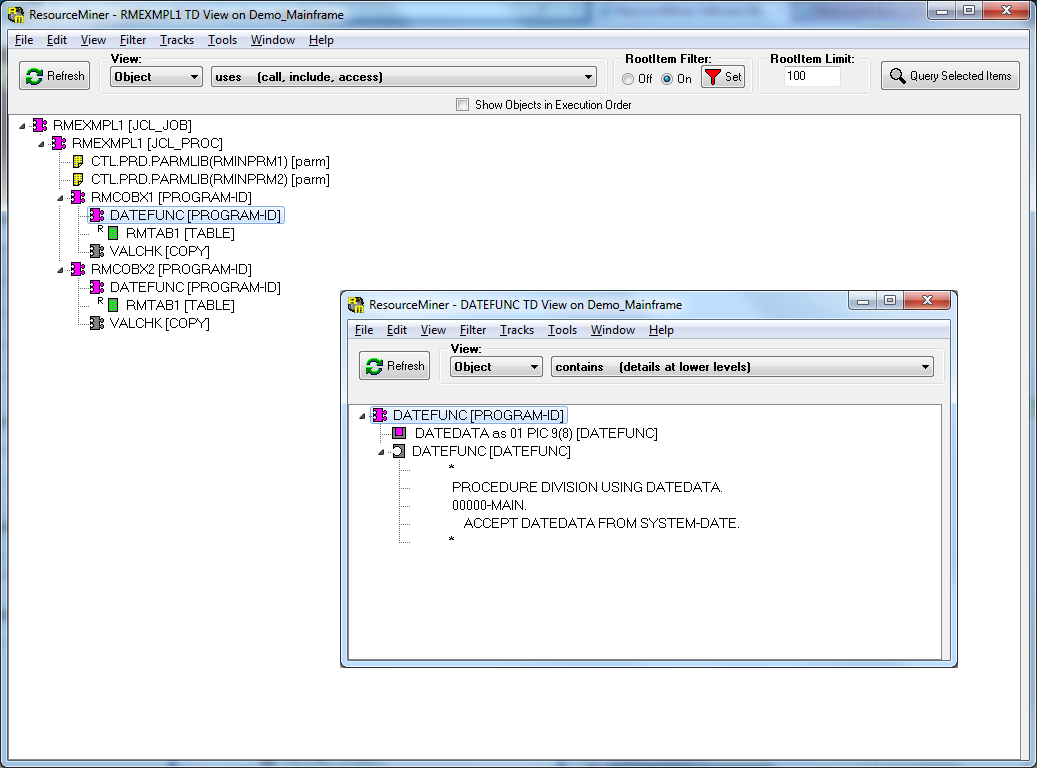
At the top of the View-form there is a controlpanel to control what to show.
View Type and View Track Direction
Distribution shows how the source code is distributed among system, computer, application, package, object and entrys. Track Direction TopDown shows the relation ’contains’ and BottomUp shows the relation ’is part of’.
Dependencies shows how system, computer, application, package, object and entrys is dependent of each other. Track Direction TopDown shows the relation ’uses’ and BottomUp shows the relation ’is used by’.
View By
Controls which level of abstraction to follow. The choices are System, Computer, Application, Package, Object, Entry, Code or Data.
Integration with the Query-form
All objects showed in above view together contain all source involved in the job RMEXMPL1. These objects are an accurate scope for searching source for the JCL-job RMEXMPL1.
By selecting all objects (Ctrl+A), right click and choose 'Query Track for Statements' a new Query-form is opened with the search scope limited to the selected objects.
Search tools will normally hit anything matching the string to search for. In ResourceMiner it is possible to search with syntax knowledge, for example finding 'ERROR' only in strings or in comments or as a declared variable.
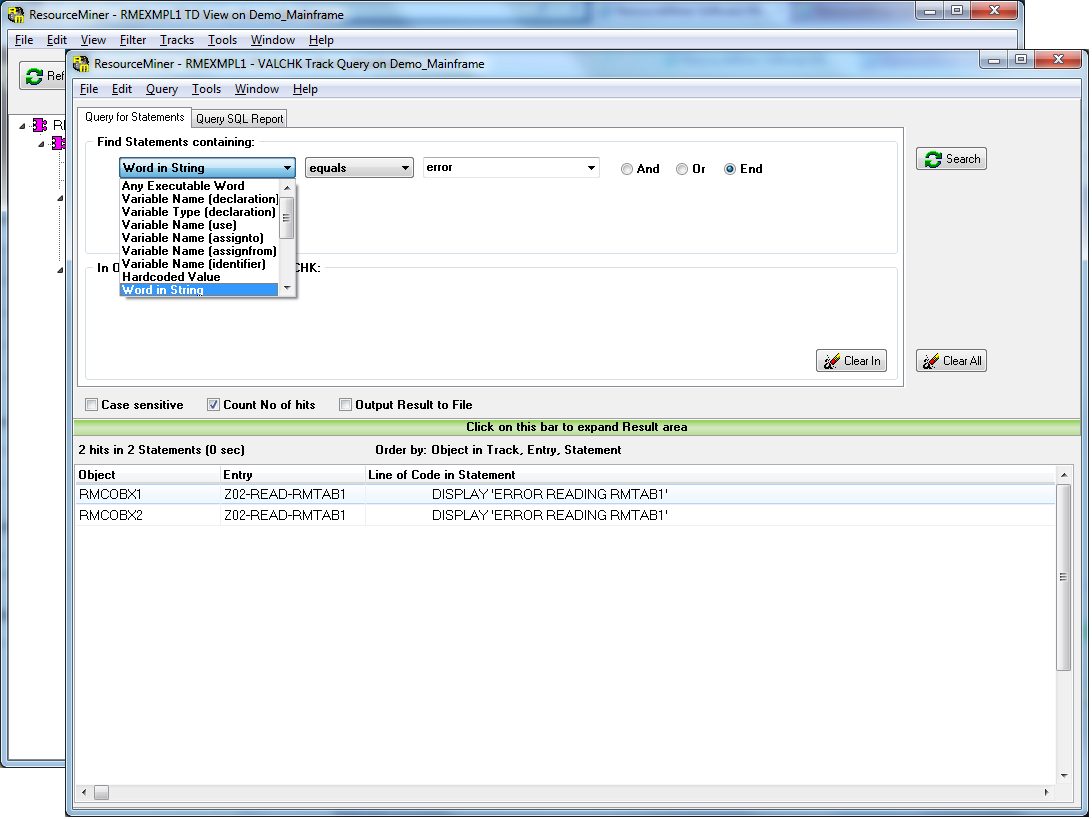
The query result shows where in the systems inner structure hits recides and hits can be used to navigate further in the application through new View-forms.
See callchains and dataflow
In below View-form the JCL-job RMEXMPL1 has been expanded to a complete callchain for the whole job. Its procedures, called programs, internal calls to sections and included copybooks are all part of the callchain.
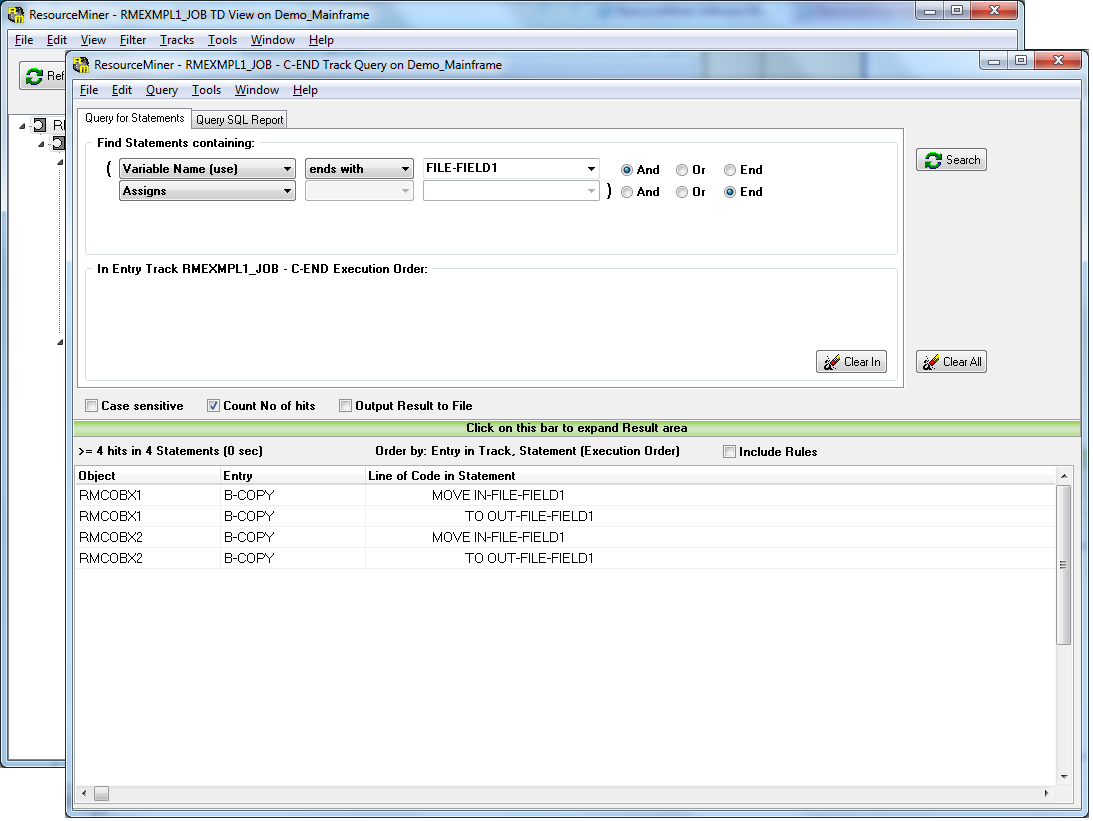
By selecting all entrys (Ctrl+A), right click and choose 'Query Track for Statements' a new Query-form is opened with the search scope limited to the selected entrys, enabling the Query-form to show hits in execution order.
The query below is set for variables name ending with FILE-FIELD1, but only for statements where those variables is assigned a value:
When rules are included in the result, the process of the found statements is much more understandable:
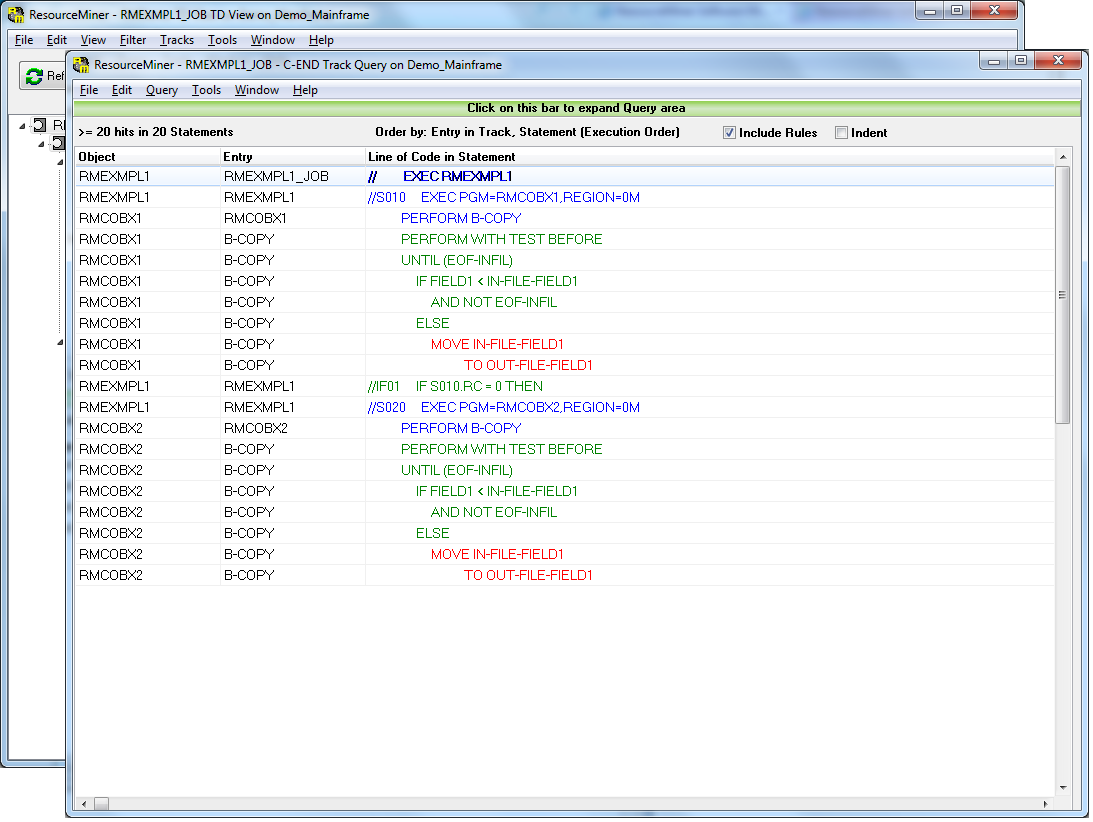
Red rows is the hits of the query (statements where FILE-FIELD1 is assigned a value).
Blue rows are calls from the callchain to show how to get to the hits at execution.
Green rows is the rules that must be fulfilled to make the hits execute.
Impact Analysis
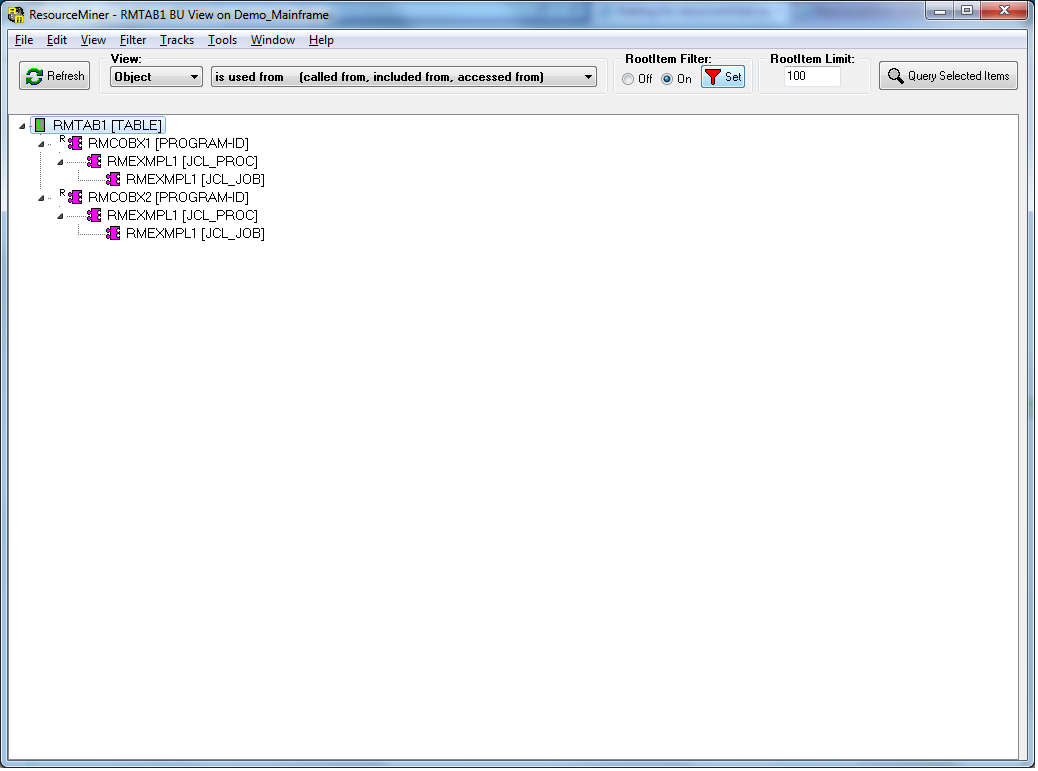
A common change request is to change a database table which will lead to the question which programs are affected by that change.
The View-form can show what is impacted by setting the controlpanel to Dependencies and BottomUp.
More screenshots
For more information on what ResourceMiner can do, see the pdf-documents ResourceMiner Manual and ResourceMiner User Guide.